Whether you’re conducting market research, customer experience surveys, employee feedback, academic studies, or product research, increasing survey participation is one of the biggest challenges.
One of the most effective ways to improve response rates is by offering participants a meaningful incentive. Digital gift cards have become one of the most popular options because they are easy to distribute, appreciated by respondents, and available globally.
If you’re using Alchemer, you can fully automate your survey incentives with appyReward—eliminating manual spreadsheets, reducing administrative work, and creating a better experience for your participants.
In this guide, we’ll show you how to connect Alchemer with appyReward and automatically reward your respondents.
Why Use Survey Incentives?
Survey incentives help organizations:
- Increase survey response rates
- Improve completion rates
- Recruit difficult-to-reach participants
- Increase participant engagement
- Improve research data quality
- Encourage participation in recurring studies
Whether you’re running a one-time survey or managing multiple research projects, incentives often deliver one of the highest returns on investment.
Why Digital Gift Cards?
Gift cards remain one of the most effective incentives for online surveys.
Popular reward options include:
- Amazon Gift Cards
- Visa Reward Cards
- Mastercard Prepaid Cards
- Tango Reward Links
- Corporate Rewards
- Multi-brand Digital Gift Cards
Because rewards are delivered digitally, participants receive them quickly while organizations avoid the complexity of physical rewards.
More Than Sending Gift Cards
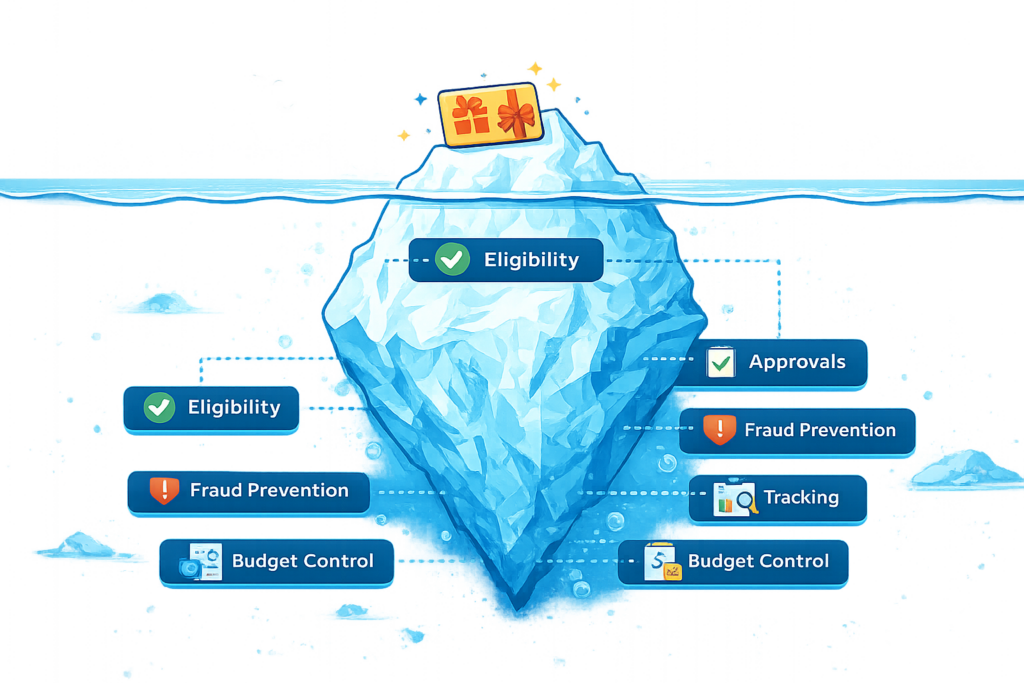
As survey programs grow, organizations quickly discover that buying gift cards is only a small part of the process.
The real challenge becomes managing the entire incentive workflow.
Questions quickly arise:
- Who should receive a reward?
- Has this participant already claimed one?
- Should rewards be reviewed before delivery?
- How do you prevent duplicate claims?
- How do you track campaign budgets?
- What happens to unclaimed rewards?
These are survey incentive management challenges—not gift card challenges.
Step 1: Create Your appyReward Account
If you don’t already have an appyReward account, create one first.
Once you’re signed in, complete the onboarding process and choose your preferred payment method.
You can reward participants with Amazon Gift Cards, Visa Rewards, Mastercard prepaid cards, Tango Reward Links, and many other digital rewards.
Step 2: Create an Incentive Campaign
From your appyReward dashboard:
- Click Create Campaign.
- Select Webhook as your survey platform.
- Choose your reward type.
- Set the reward value.
- Customize your participant message.
- Launch your campaign.
Once your campaign has been created, activate Webhooks and copy your appyReward Endpoint URL.
You’ll need this URL when configuring Alchemer.
Step 3: Connect Alchemer
Open your Alchemer survey.
Navigate to the final Thank You page.
Click Action and select Webhook.
Paste your appyReward Endpoint URL into the Webhook URL field.
Select:
- Post Custom Fields
- HTTPS
Save your changes.
Complete a test response to verify that Alchemer successfully sends participant information to appyReward.
Step 4: Publish Your Survey
Once everything has been tested successfully, publish your survey.
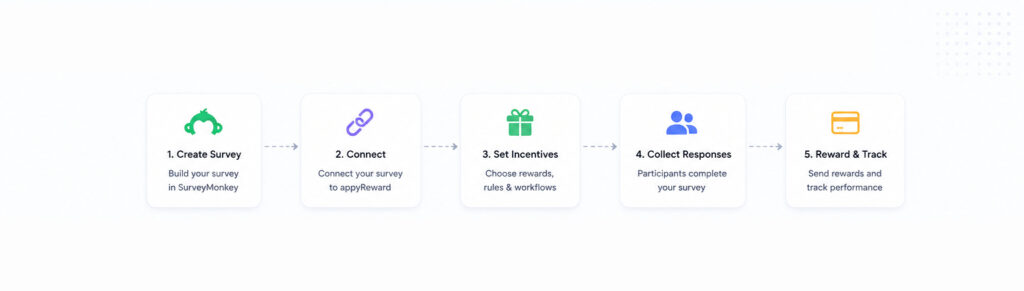
As respondents complete the survey, appyReward will automatically process the incentive workflow and deliver rewards according to your campaign settings.
Step 5: Monitor Your Campaign
From your appyReward dashboard you can monitor:
- Participants
- Delivered rewards
- Pending rewards
- Claimed rewards
- Unclaimed rewards
- Campaign performance
- Remaining budget
This allows research teams to manage incentives without relying on spreadsheets.
Why Market Research Teams Choose appyReward
Unlike generic gift card platforms, appyReward was built around survey incentive workflows.
With appyReward you can:
- Automate survey incentives
- Reward Alchemer respondents
- Launch sweepstakes
- Create instant win campaigns
- Review participants before rewards are delivered
- Prevent duplicate claims
- Track participant activity
- Monitor campaign budgets
- Manage unused rewards
Whether you’re running customer research, employee surveys, healthcare studies, or academic research, appyReward helps simplify incentive management from beginning to end.
Looking for More Than Gift Cards?
Sending a gift card is easy.
Managing survey incentives is the real challenge.
If you’re looking for a platform built specifically for survey workflows, explore how appyReward helps organizations automate participant rewards while maintaining complete control over approvals, fraud prevention, tracking, and reporting.
👉 Discover Survey Incentives Built for Survey Platforms.